Home
Home
 Computers
 Projects
 Blog
Blog
HP Visualize B2600 ATX PSU Retrofit
Published: 6-Oct-2026 - Last Updated: 6-Oct-2026
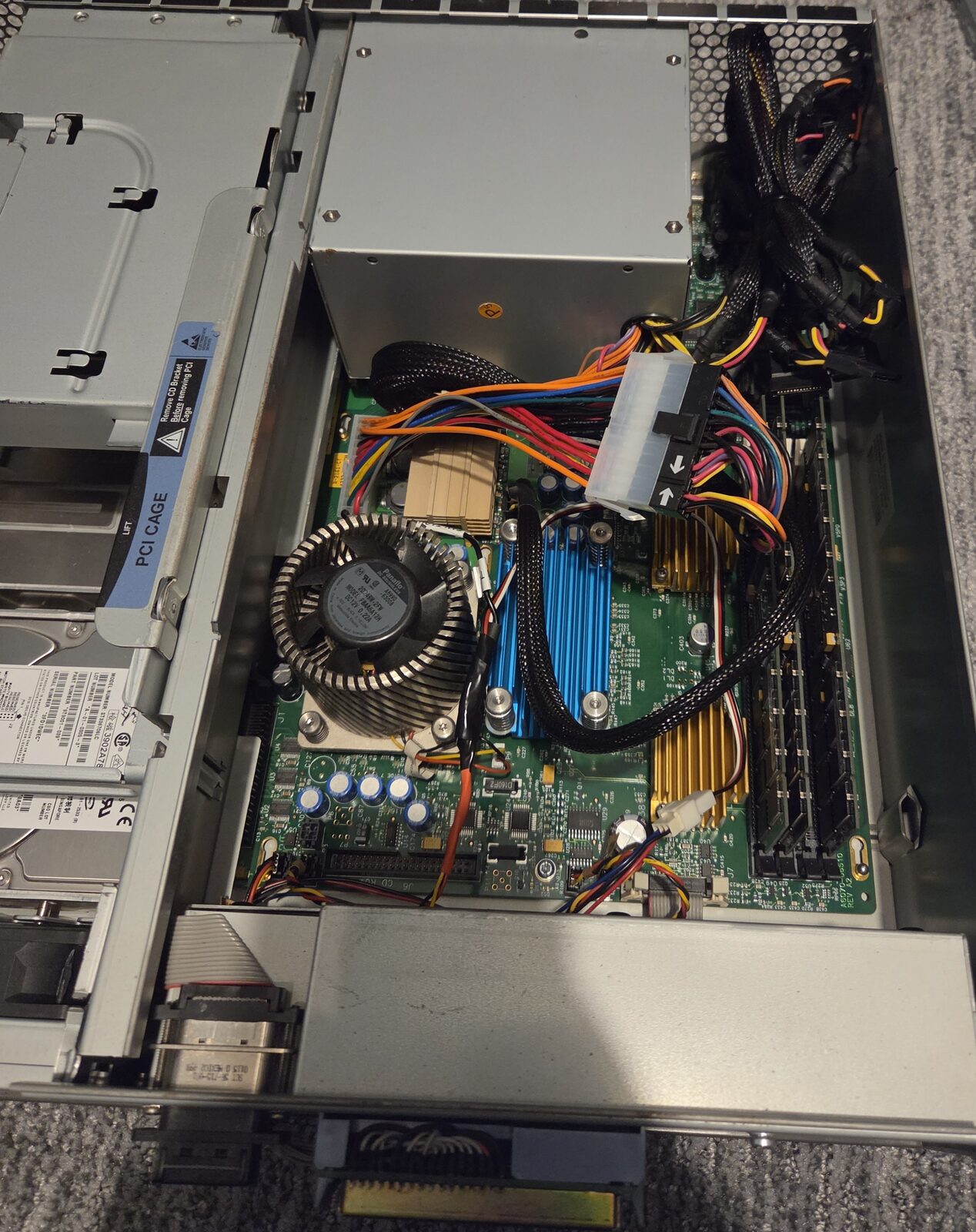
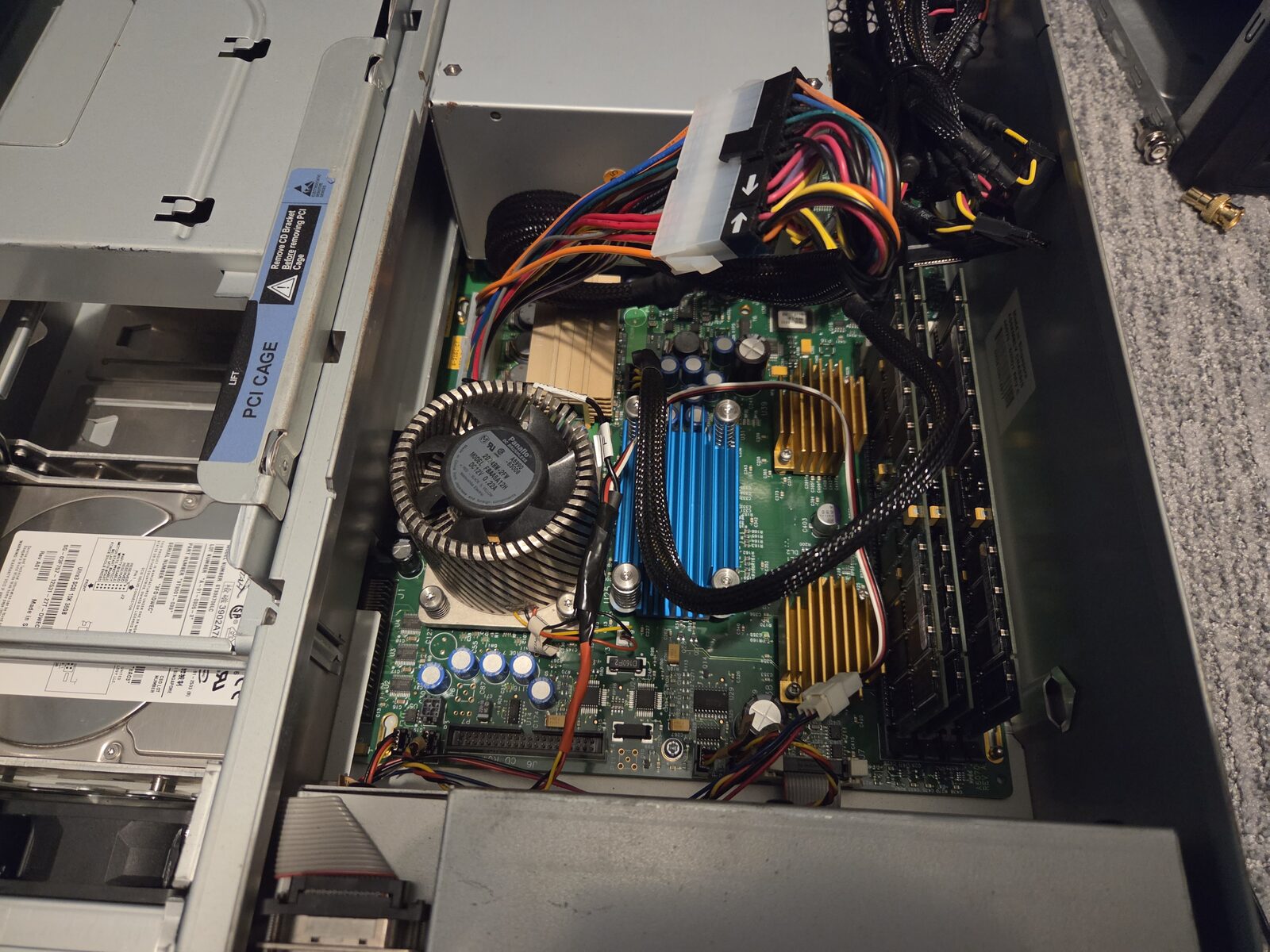
The HP Visualize B2600 workstation is a midrange PA-RISC UNIX workstation made by HP. The unit I recently purchased was missing its power supply, and it is proprietary. There is at least one vendor on eBay which sells "clone" PSUs, but they are quite expensive.
This page will give instructions for how to retrofit a standard ATX power supply into an HP B2600 Visualize Workstation.
Original Power Supply
The original specs are:
+12V 15A
+5V 30A
+3.3V 28A
-12V .8A
+5VSB 2A

3.3V and 5V not to exceed 210W
3.3V, 5V, and 12V not to exceed 300W
Pinout
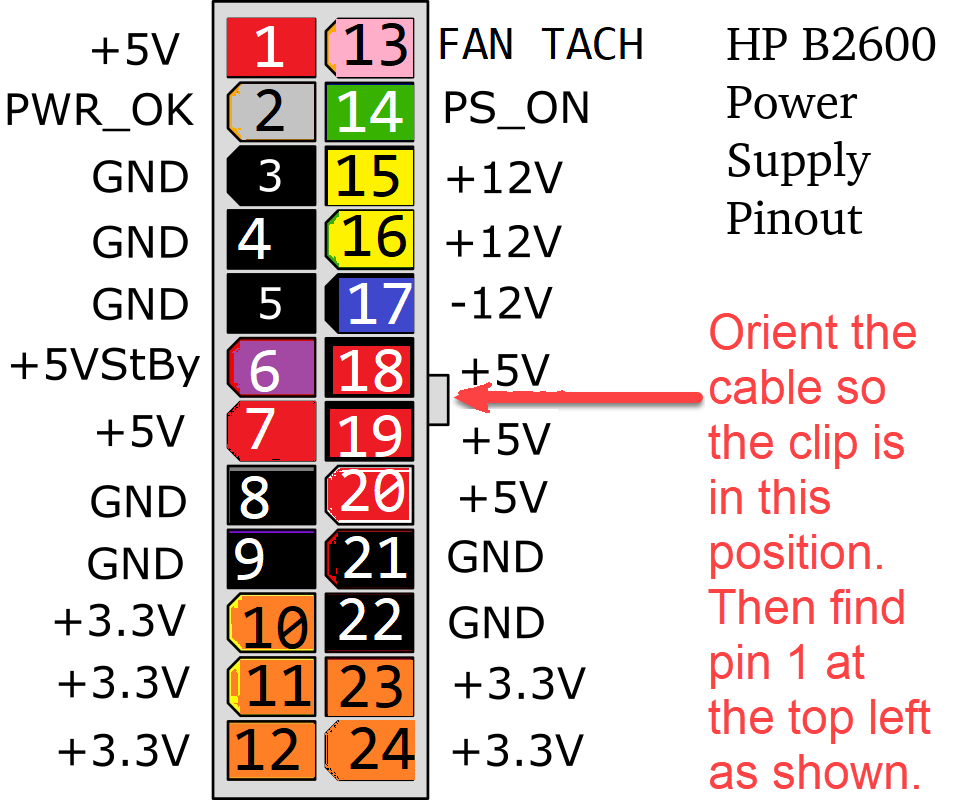
As you can see in the pinout image, almost all the colors match the ATX standard except for Pin 13, which is blue on the original power supply. Pin 13 is the Fan tach output to the motherboard from the PSU fan.
I determined most of the pinout by assuming that the colors matched the ATX standard and confirming some known parts' input pins.
I confirmed the -12V location by tracing the signal to a transistor connected to a serial line driver.
The 6 pin connector was easy to confirm since I knew the CPU VRMs take +12V based on experience with other PA-RISC systems.
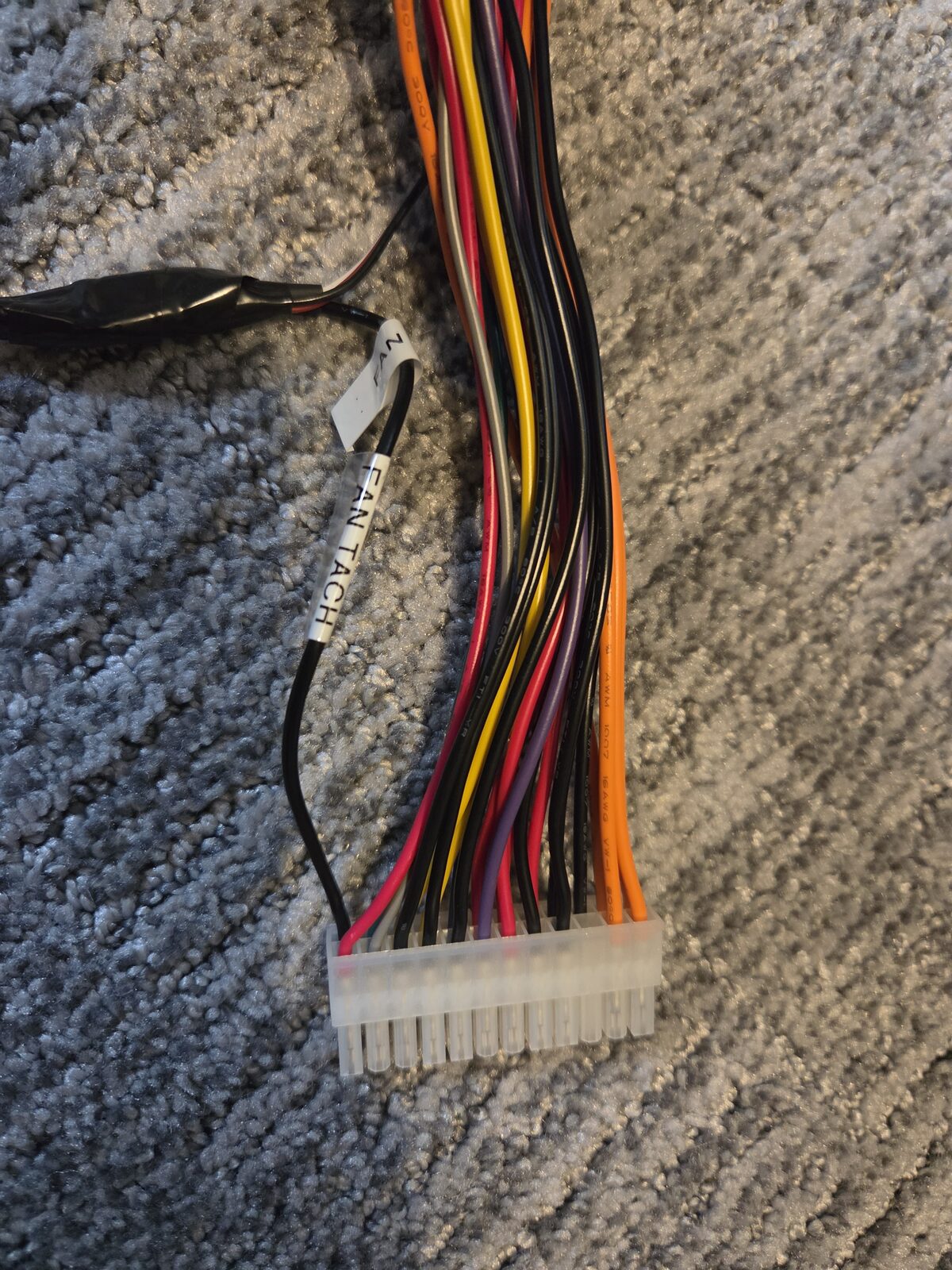
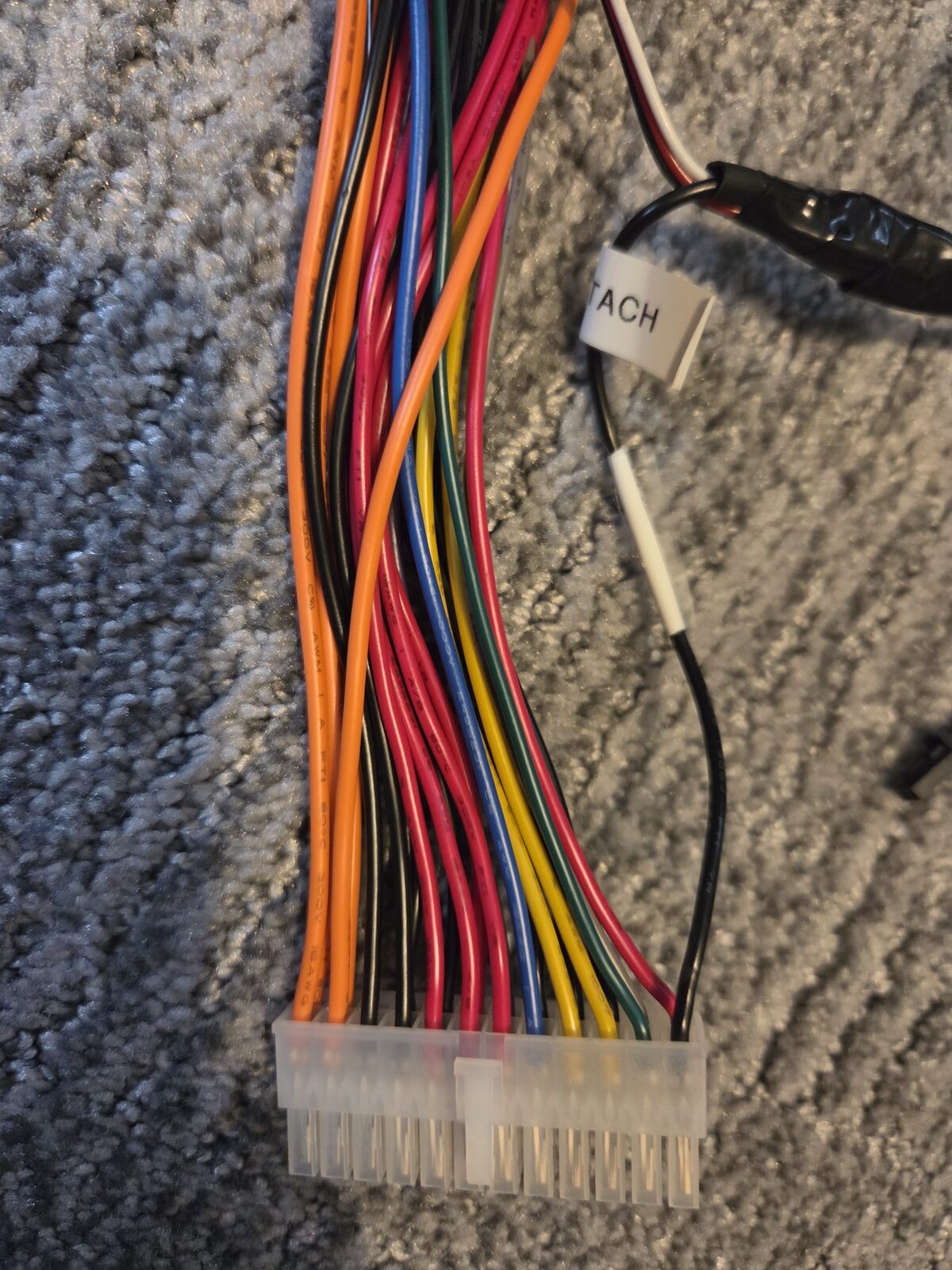
Making an adapter cable
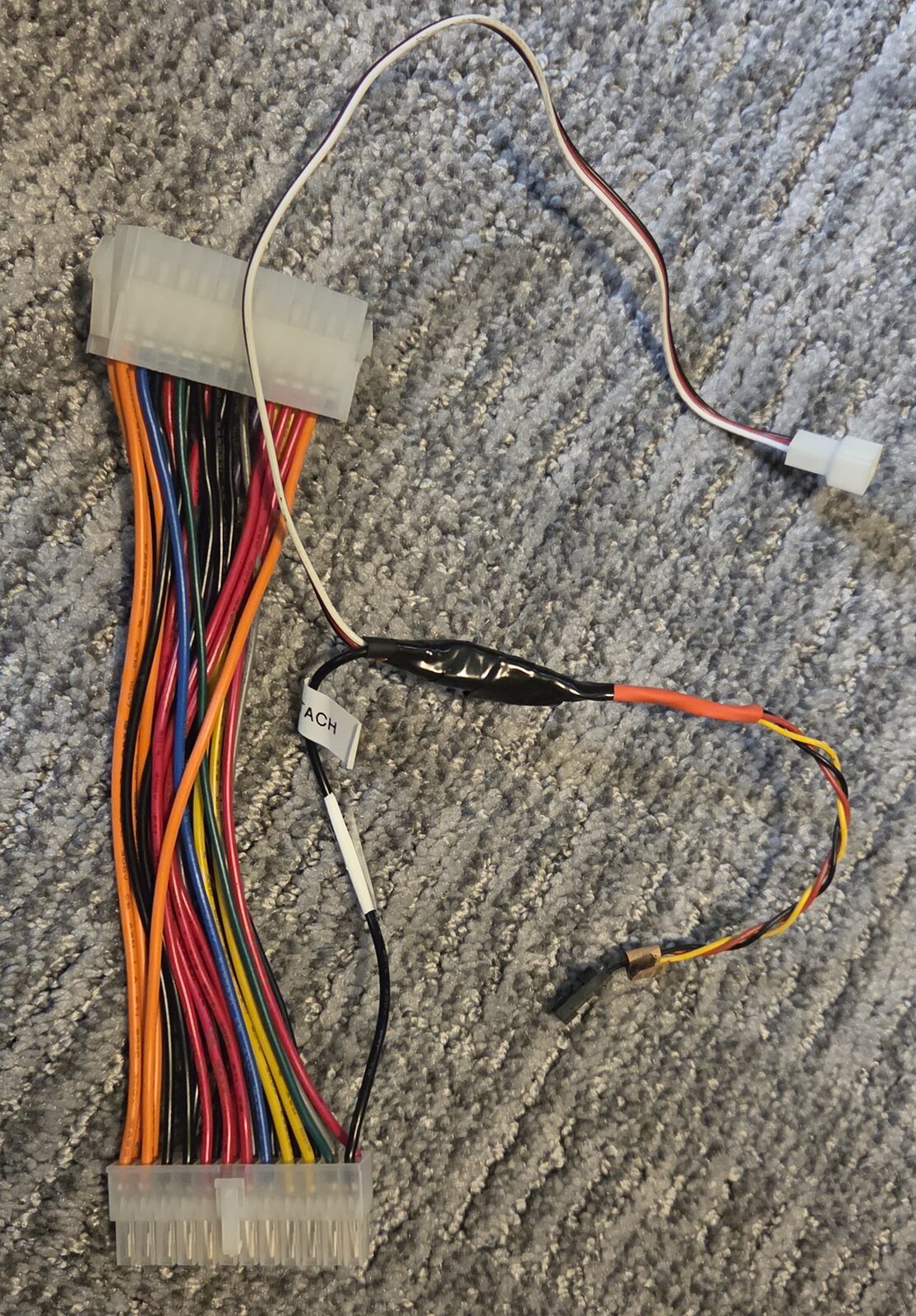
I used a StarTech 8in 24 Pin ATX Power Extension Cable (ATX24POWEXT) to create an adapter which allows me to use a
standard ATX power supply in place of the proprietary HP supply.
Making it is straightforward; you just need to de-pin the motherboard side connector and position the wires
to match the pinout above.
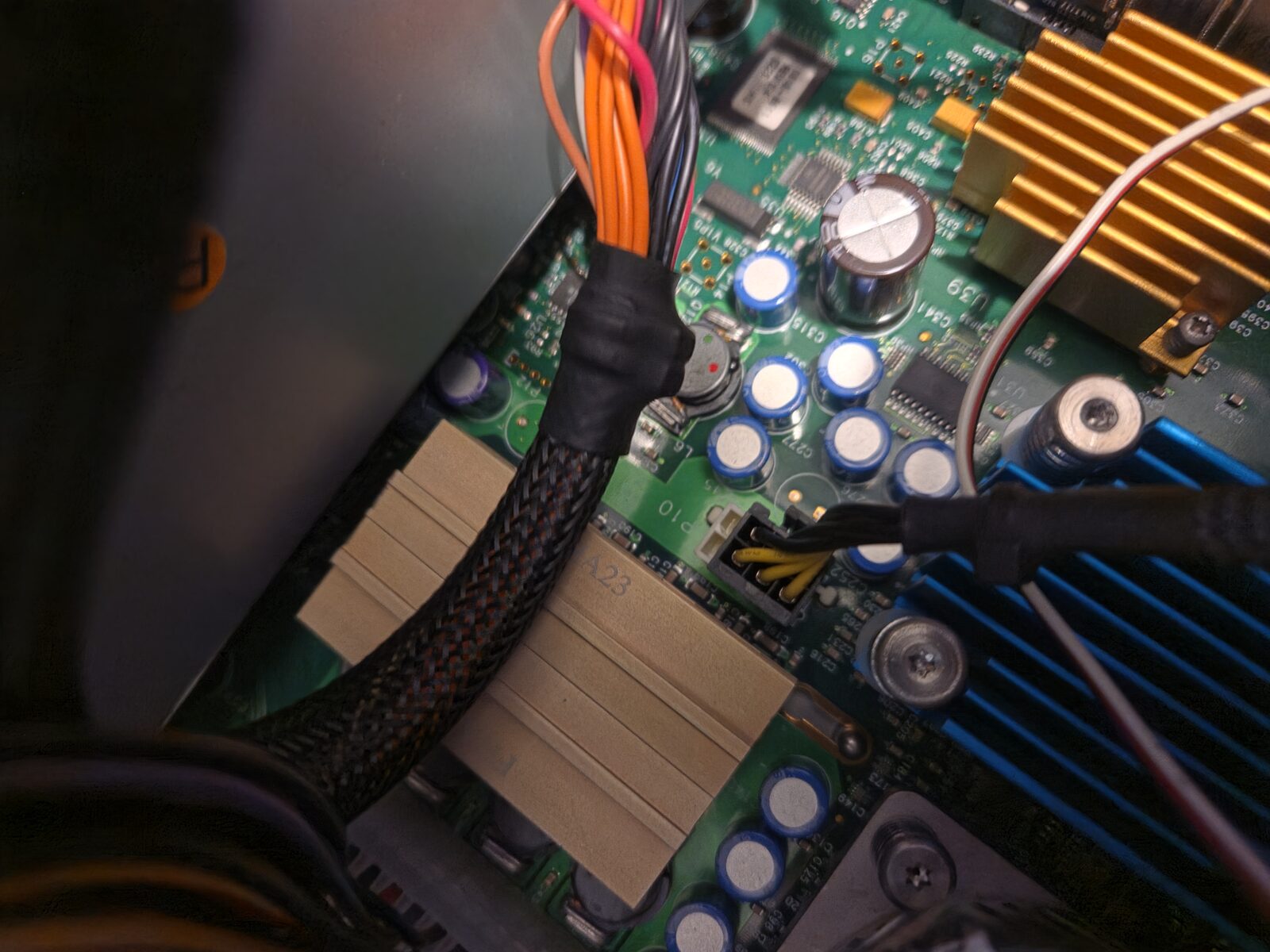
For the 8 pin connector, use a 6 PIN GPU connector. The 6 pins near the blue heatsink should be used and the 2 at the rear of the computer should not be connected. DO NOT USE THE 4 or 8 pin CPU connector on the ATX PSU!
A fan tach input on Pin 13 is required. Without it, the computer will turn off after POST.
I needed to replace a fan, so I cut the fan cable for a front fan and used the tach signal from that fan.
See the pictures below:
|
|
Choosing a power supply
Note that you are limited with how big of a power supply you can fit. A high watt gaming supply will
most likely not fit due to the VRM heatsink.
A "standard" sized ATX supply that is 5.5 inches deep should fit.
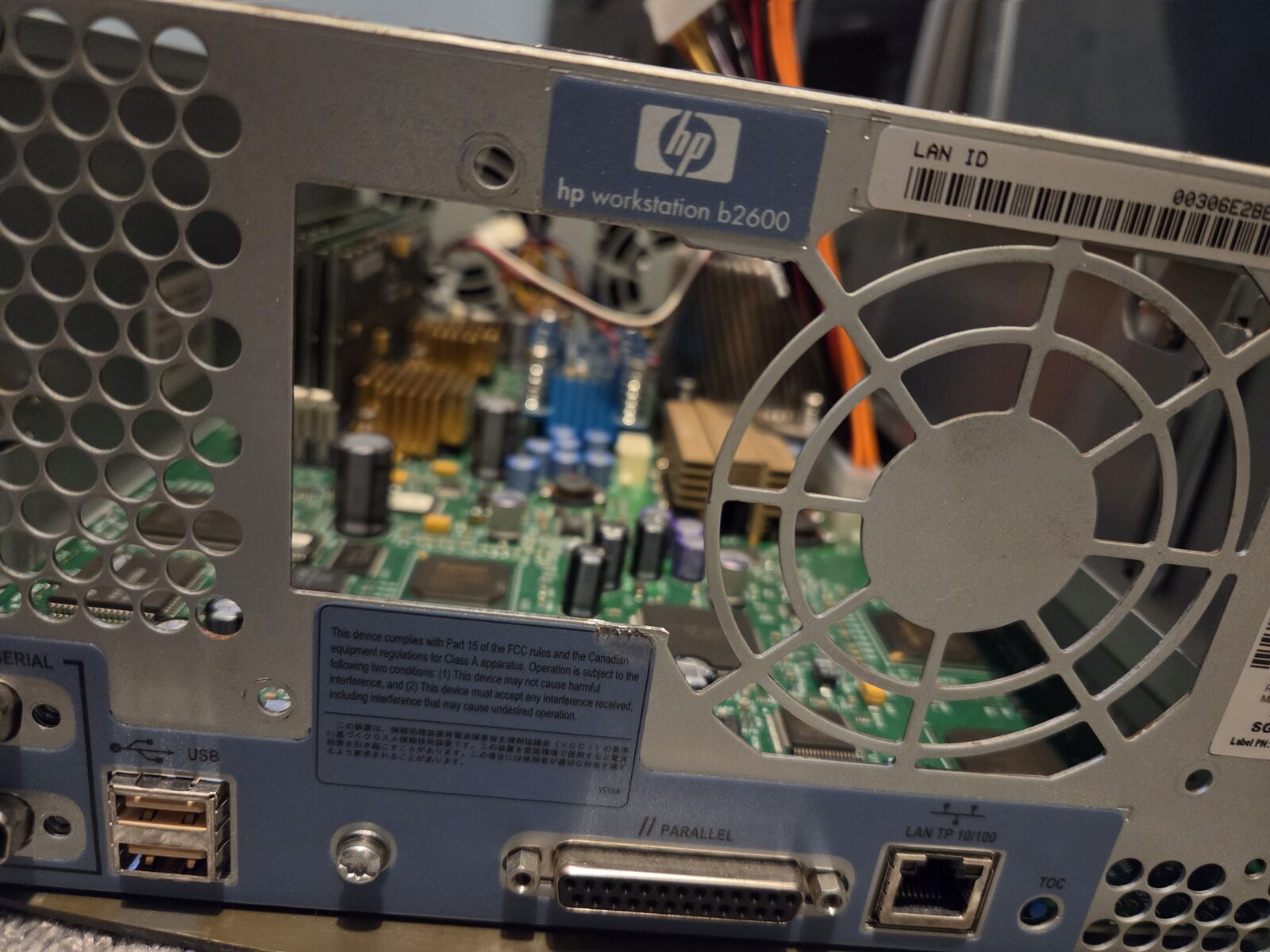
Take note of the location of switches or the power input on the new PSU. You may need to cut the rear of the case
like I had to.
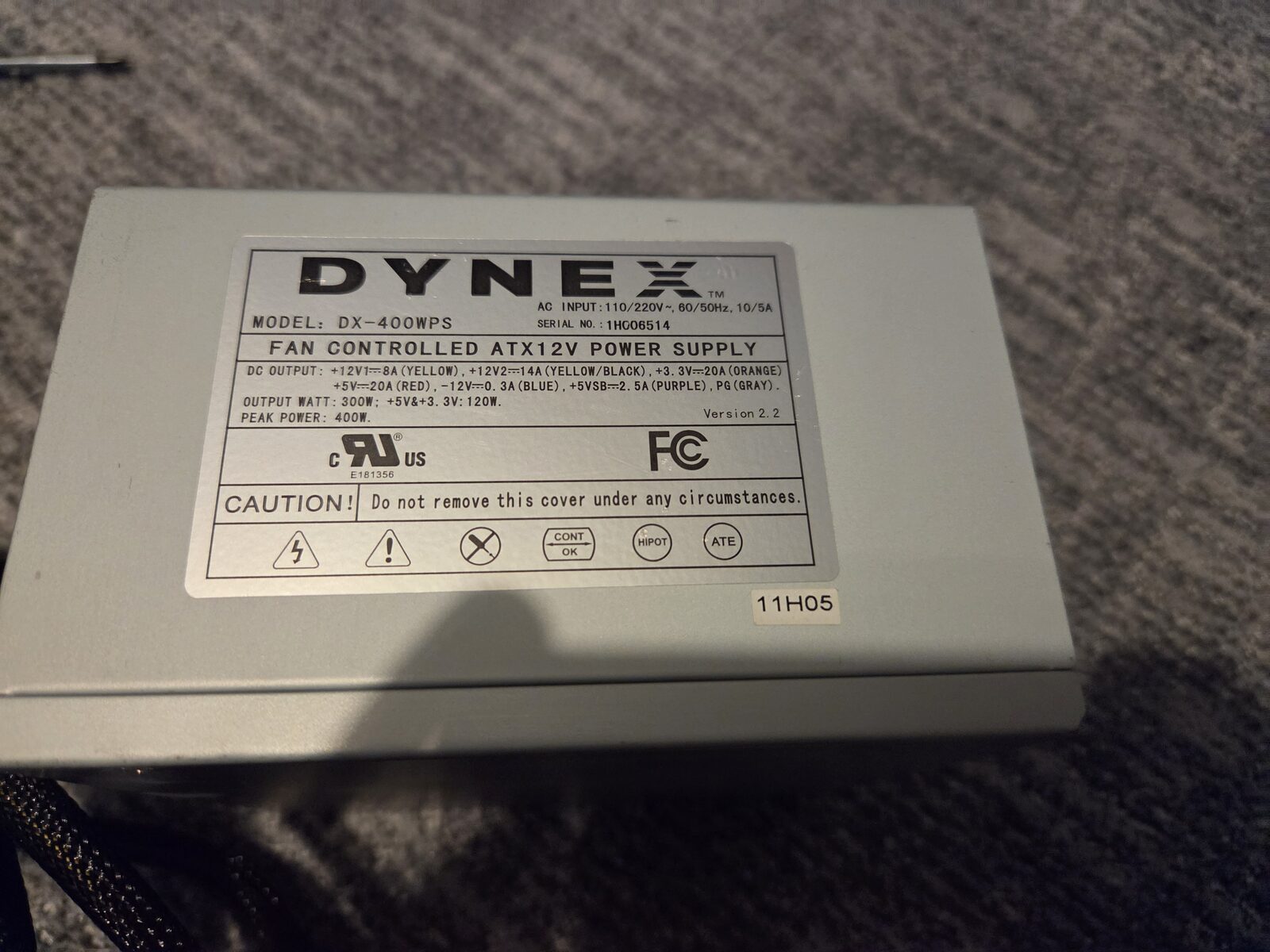
The power supply I'm using (Dynex DX-400WPS) only has 20A +5V and 20A +3.3V, but seems to work fine.
I only have an FXe graphics card, so your experience may be different with an FX5.
|
|