What needed fixed?
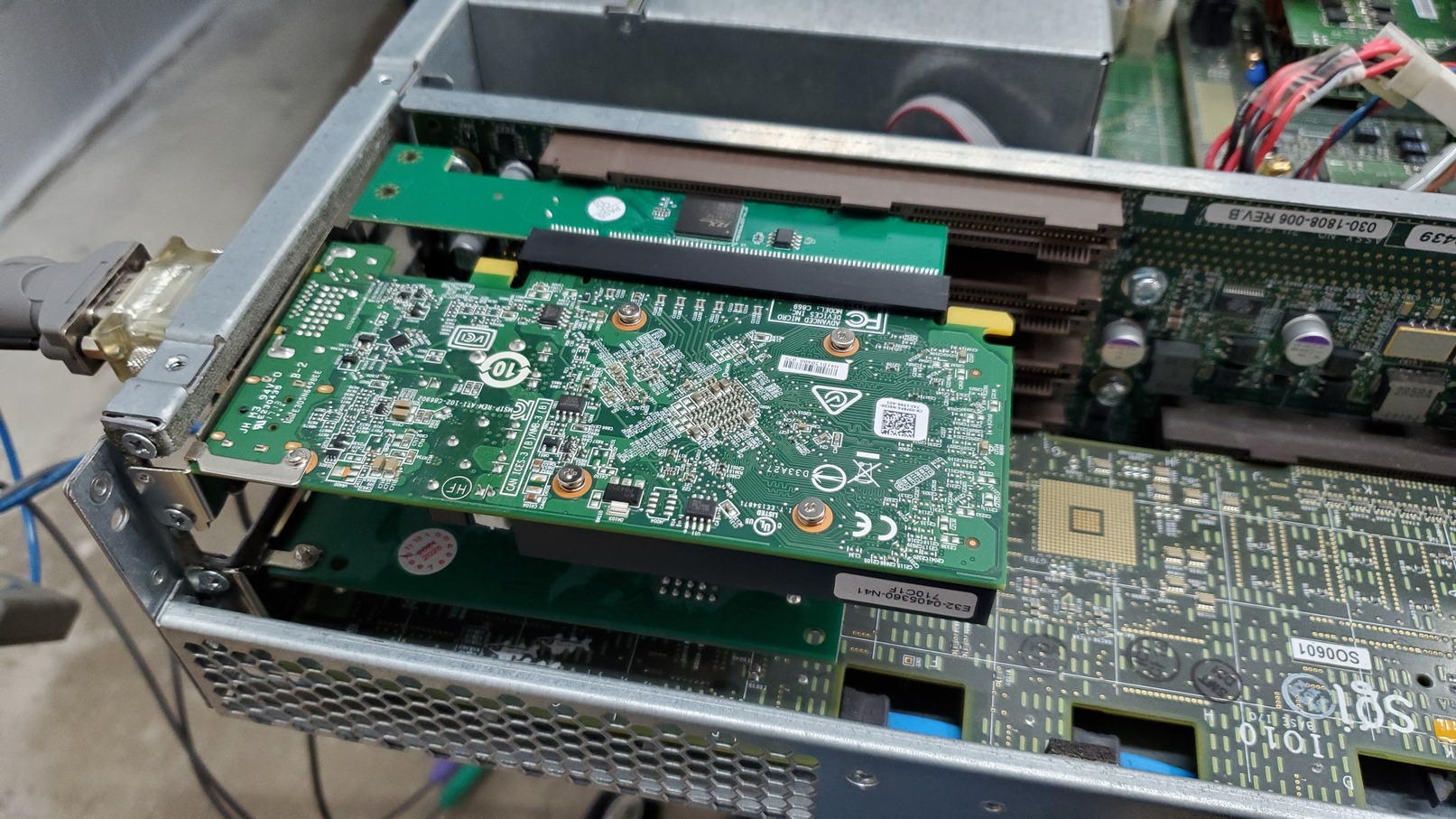
The SGI Altix SN2 is a very strange architecture. The PCI riser was never intended to support a GPU.
When SGI wanted to add a GPU to the system, they developed the TIOCA AGP Riser for the Prism.
The TIOCA has support for 1024 GART entries built into its ASIC, and the proprietary ATi fglrx driver has calls
for SN2 specific DMA flush routines after every read and write the GPU makes.
Note that AI was used in fixing this issue. What follows is a summary of the fixes. I will link the AI generated analysis docs further down the page.
There were two main issues with bringing up a PCI GPU, one issue using it behind a PCI bridge, and one additional issue with amdgpu.
- The firmware does not properly setup the PCI bridge's prefetchable memory window
- The SN2 architecture does not support write combining for PIO transfers
- Heavy DMA reads performed by the GPU on memory which is cached overloads the FSB table tracking modified cache lines
- UVD ring test fails on AMDGPU due to overloading the system with PIO writes
1. PCI Bridge prefetchable memory window
The SN2 firmware has no mechanism in the EFI firmware to deal with PCI bridges and properly program the PLX bridge prefetchable memory window.
We must manually program the PLX bridge.
During testing, I ran these two commands to program the window:
setpci -s 0002:00:02.0 24.W=0x1000
setpci -s 0002:00:02.0 26.W=0x1ff0
This fix allowed the radeon driver to load.
To make this seamless and hopefully support GPUs or other PCI-E cards with different window sizes, I made a small fixup function
which runs during boot and automatically programs the window into the PLX based on detected BARs.
The kernel config option for this is CONFIG_SN2_PLX_GPU=y. It's available to select under SN Devices in menuconfig.
2. PIO writes must be uncached
When the driver tried to write to the GPU with PIO, the data never reached the GPU because the writes were write-combined.
The ia64 CPU's write-combine buffers accumulate stores destined for PIO space, but the SHub and NUMAlink fabric do not provide
the completion signals the CPU's WC drain logic expects. The result: writes pile up in CPU-internal buffers and never propagate to the device.
This manifested as a 15-second hang followed by an RCU stall any time userspace touched mmapped VRAM:
rcu: INFO: rcu_sched detected stalls on CPUs/tasks:
task:modetest  state:R  running task
The CPU was actively executing stores but none of them reached the GPU.
Changing the TTM buffer objects to pgprot_noncached() fixed the issue and was a major stepping stone.
This matches exactly what the SGI Altix Porting Guide (007-4520-007, PCI-X Memory Resource Address, Page 67)
says: user mappings of PCI device memory must use pgprot_noncached().
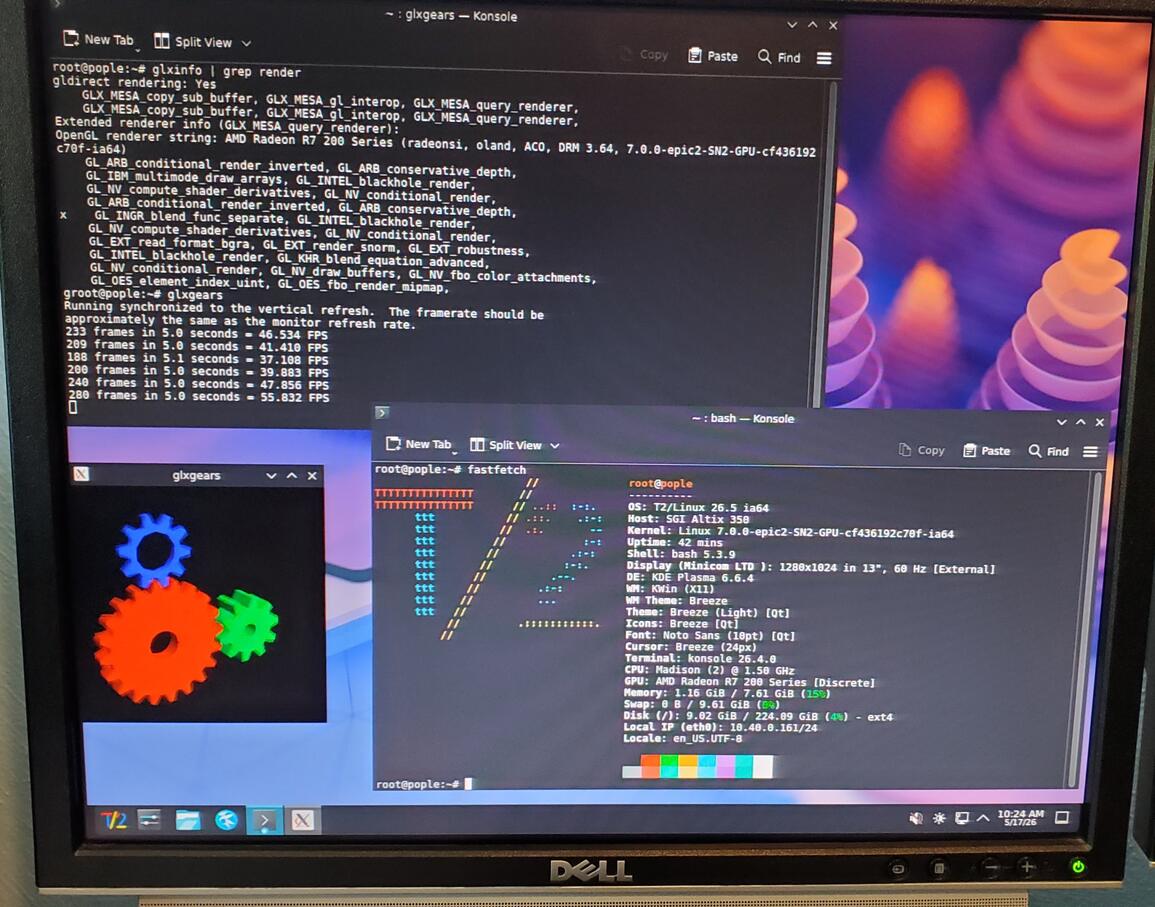
At this point, we had X working, glxgears working and full 3D rendering working. However,
any significant 3D rendering caused the system to lock up and MCA.
UPDATE: The original patch caused all TTM memory to be uncached, meaning both GTT and VRAM. GTT is in system memory
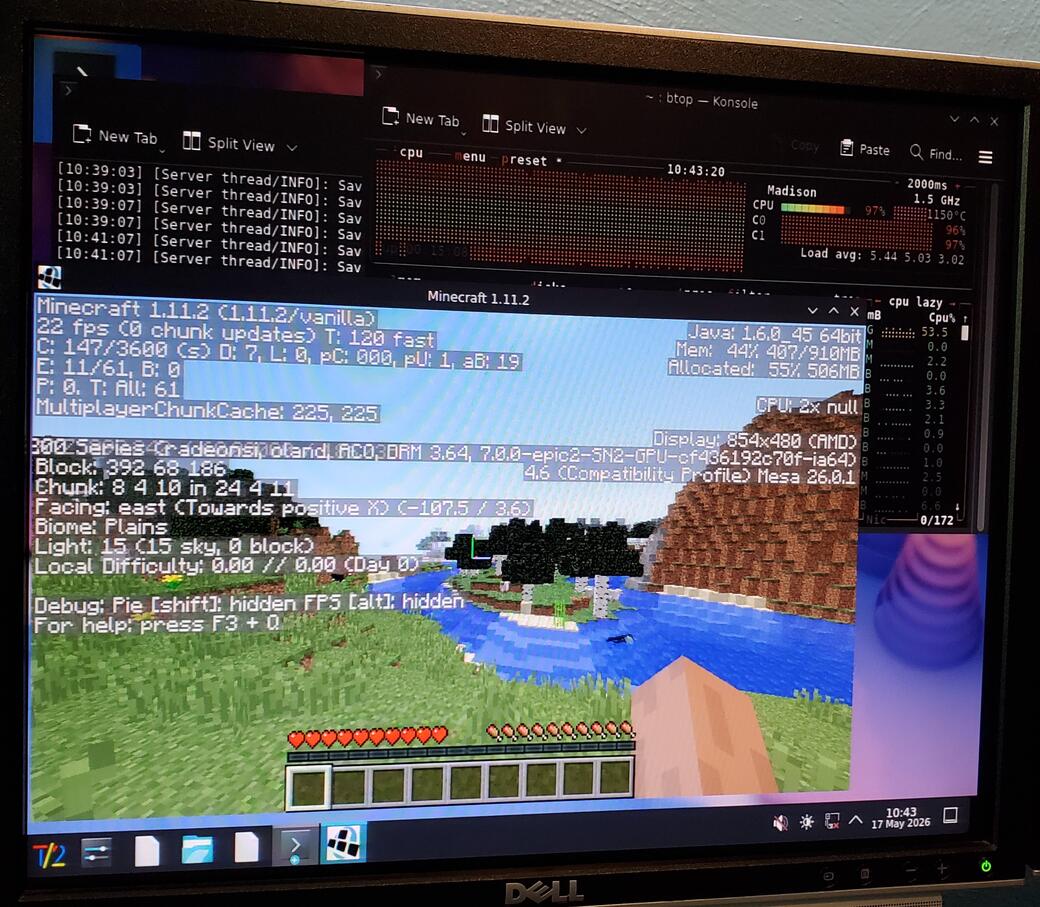
so really did not need to be uncached. GTT being uncached causes terrible performance in heavy 3D workloads like
minecraft. This patch
turns on write combining for GTT while still keeping VRAM uncached. VRAM writes are still slow, but now GTT is fast.
See This documents for
more details
3. DMA on cached memory
To fix heavy 3D rendering, I needed more information than the AI added instrumentation provided, so I used the errdmp
command included on the SGI internal support tools CD. This command can dump status about every chip and ASIC in the system.
It's a very powerful tool. Combined with AI, analysis of the dumps was much easier.
When launching Minecraft, the system would lock up, then MCA 20 seconds later. When running errdmp during this lockup,
we found the following info: SH_PI_FIRST_ERROR=0x01 (FSB_PROTO_ERR). The FSB was in error. Drilling further into the dump:
-
DETAIL_1 cmd=0x01 (RDEXC) — the failing transaction was a Read-Exclusive directory intervention
-
DETAIL_2 source chiplet = MD — it originated in the Memory Directory chiplet, not the PIC
-
BUS1_DEV2_REG = 0x12040000, bit 16 (COHERENT) = 0 — so this wasn't about DMA writes being coherent
- The error address was always in the TTM buffer object region, inside the GPU's Direct32 DMA range
Combining all that told the real story: the GPU was DMA-reading GTT pages that the CPU had just touched.
Because the kernel zeros pages and fills indirect buffers through the WB identity map, every one of those pages had Modified cache lines
sitting in a CPU's L2. Every GPU DMA read of a Modified line triggered an RDEXC directory intervention from the MD chiplet,
routed MD → PI → FSB → CPU. Under Minecraft-level load this saturated the FSB transaction table, the protocol error fired, and the box MCA'd.
The obvious "just mark those pages uncached" fix doesn't actually work on ia64. Unlike x86,
ia64 has no per-page PAT — the kernel identity map (region 7) is always WB, and set_pages_array_uc() is a no-op.
You cannot change a physical page's cache attribute from the kernel side. The only way to avoid Modified lines is to flush them yourself.
The fix was two lines of logic in ttm_pool_alloc_page(): right after alloc_pages_node() returns freshly-zeroed WB pages,
call sn_flush_all_caches() to issue fc.i across the page and write the dirty lines back to memory.
By the time the GPU ever sees the page, it's clean, and no directory intervention is needed. Minecraft no longer MCAs the box.
4. UVD writes overload PIO
This issue caused the system to lock up when loading amdgpu unless you loaded it like this: modprobe amdgpu ip_block_mask=0xffffff7f, which disables UVD.
The root cause was raw pointer stores to an iomem-kmap'd VRAM BO that get compiler-optimized/merged in ways that overwhelm SN2's PIO write pipeline, triggering PIO_TO_ERR in the SHub.
The fix: convert those stores to writel() and type the pointer as u32 __iomem *. This forces each store to be a discrete,
non-mergeable volatile write, matching what SN2's PIO pipeline can handle (and what radeon has always done).
5. Enable ZONE_DMA32 to prevent ATE exhaustion
On Altix, PCI DMA has three paths: Direct32, ATE, or Direct64. We are concerned with the first two.
The PIC bridge's Direct32 path provides a fixed 2GB window into system memory. PROM programs this window via the p_dir_map register to cover node 0's bottom 2GB (phys 0x3000000000..0x307FFFFFFF on this system). DMA inside this window translate with zero overhead.
DMA targets outside the window fall back to the ATE (Address Translation Entry) mechanism, which uses a 1024-entry table where each entry maps one page. Under heavy GPU DMA, the ATE pool is quickly exhausted and DMA mappings fail with "sn_dma_map_phys: out of ATEs".
On SN2, ZONE_DMA32 and SWIOTLB were disabled in the Kconfig for the platform, and MAX_DMA_ADDRESS was PAGE_OFFSET + MAX_PHYS_MEMORY, which is just all memory. I'm not sure exactly why.
When the GPU driver is assigned memory for TTM, where this memory falls is random and can be anywhere in the physical memory of the system. Crashes appeared random because the fraction of "good" vs "bad" allocations was random.
To solve the issue, we remove the restrictions on ZONE_DMA32 and SWIOTLB and enable them. We also set MAX_DMA_ADDRESS = PAGE_OFFSET + 0x3080000000UL in arch/ia64/sn/kernel/setup.c, so that drivers which do DMA are assigned memory below the 2GB mark. This does mean that all memory used for DMA will be on node 0, but I don't expect this to be an issue for hobbyist use. No additional driver changes were required for this fix.
 Home
Home
 Computers
 Projects
 Blog
Blog